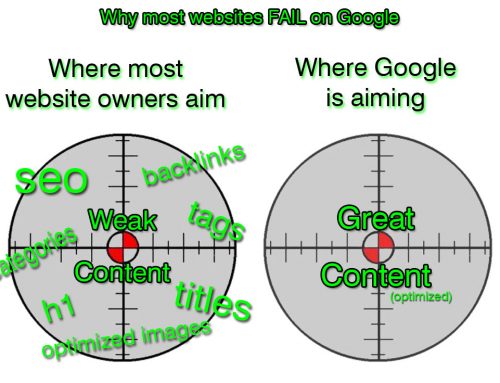
This is just a backup post to my earlier recommendation to “Clean your text” to get better search results AND keep the formatting of your pages/posts.
Well the great news is that within WordPress there is a cool little button within the Visual tab named “Paste as Plain Text” It does the work for you.
Here’s a screen shot to show you the location:

Paste as Plain Text in WordPress Button
(click for detailed view)
So the next time you MUST copy from Microsoft Word to WordPress, simply:
- Copy the text in MS Word
- Click the “Visual” Tab
- Click your cursor inside the main text field in WordPress
- Then click the “Paste as Plain Text” button
- Your done!
Clean as a whistle and now you actually have a chance to have Google come through and index your site, finding WORDS and not formatting “cr@p.”
;^ )
Cheers,
//Dave
About the Author
Dave Naves, President of Daveworks Web Development
Dave has over 20 years experience in the Internet industry. Some of his larger projects have included Ticketmaster.com, Guess.com, Citysearch.com and DisneyChannel.com, to name a few. He's passionate about getting Small Business America in to the "Big Game" of SEO and ecommerce, so he founded LocalMarketplace.com™ to do just that.
Dave holds a Bachelors of Science Degree in Business Administration, plays drums, is an avid fly fisherman and enjoys using his general contractors license from time to time.
You can typically find him making noise out on Google+, Twitter and Facebook.
If so, perhaps you'd like to join the many others who receive exclusive online business tips and tricks, and grab a FREE COPY of Daveworks' eBook, "Social Media and Commerce Online - in Plain English"
Just enter your email address: |
|
|
|
Similar Posts
Leave a Reply